CoreviaFlowCOREVIAFLOWDIGITAL PROJECT COMPANY Leave a request
EN UA RU
Marketing & EmailEU

Viber integration & automation

Your Viber bot and business account are connected to your CRM: a client's message becomes a request, and the status of the order reaches the client in Viber

For many businesses in Ukraine and Eastern Europe Viber is the channel where clients actually write and read. Rakuten Viber gives a business two doors: a bot, which clients subscribe to and talk with, and business messages, which go to a client's phone number through official messaging providers. We connect your bot and your business messaging to your CRM, so that a message in Viber creates a request with the client's name and history, the manager answers from the CRM card, and the order status, the delivery number or the appointment reminder go to the client in Viber from your system. Viber stays your channel and your account; we make it part of your workflow.

What we connect

  • The bot is created in your name in the Viber administration panel; since 2024 Viber creates bots on commercial terms, so this step is agreed with Viber or its official messaging provider before we start. The bot's access key is handed to us and stored as a password.
  • We set up an address on the secure connection where Viber sends every incoming message, subscription and delivery status; it must be reachable over a secure connection with a valid certificate, which we take care of.
  • Every message Viber sends to that address is signed, and the connection checks the signature, so nobody can slip a fake message into your CRM.
  • When a client subscribes to the bot, the connection saves their Viber identifier in the CRM card — Viber does not give a list of subscribers afterwards, so this is the only moment to remember who can be written to.
  • We agree the rules: which message creates a request, which manager receives it, and which CRM events send a message back — order confirmed, shipment number, appointment tomorrow.
  • For messages to clients who have not subscribed to the bot — by phone number — Viber's business messages are used through official messaging providers; if you already work with one, we connect the CRM to that provider's account.
  • Delivery and read statuses that Viber returns are written into the CRM next to the message, so the manager sees whether the client has read the reply.

Automation scenarios

01

A client writes to the bot

Before messages in the Viber bot are read from a phone by whoever has it, and requests get lost between shifts.

After each message creates or updates a request in the CRM with the client's name and the full chat history, the manager answers from the card, and nothing is left unanswered.

02

The order status changes

Before the client writes «where is my order?» three times a day, and the manager looks it up and answers by hand.

After when the order moves to «shipped», the CRM sends the client a Viber message with the shipment number, and the delivery status shows the manager it was read.

03

Appointment reminder

Before the administrator calls every client the evening before to confirm the visit, and half do not pick up.

After the CRM sends a Viber message with the time and the buttons «confirm» and «reschedule»; the client's tap comes back into the CRM and the schedule updates itself.

04

One client — one card

Before the same person wrote in Viber, called and left a form on the site, and the CRM has three different records.

After the connection matches the Viber subscriber with the client by phone number or by the identifier the bot asked for, and all conversations land in one card.


How it works technically

For those who want to check: each point links to the official documentation page it comes from.

  • The client's bot connects through the REST Bot API: each bot has its own authentication token passed with every request, and incoming messages and events arrive at a webhook address on the client's side.

    Source: developers.viber.com ↗ checked 2026-09-28
  • A bot can message a user only after that user has subscribed by writing first; text, images, files, contacts, locations and keyboards with buttons are supported.

    Source: developers.viber.com ↗ checked 2026-09-28
  • Viber reports the status of each message — delivered to the device and seen — and every callback is signed with HMAC-SHA256 using the bot token, so the client's server can verify its origin.

    Source: developers.viber.com ↗ checked 2026-09-28
  • Since 5 February 2024 Viber bots are created on commercial terms only; a webhook is accepted over HTTPS with a valid certificate; broadcast is limited to 300 subscribed recipients per request.

    Source: developers.viber.com ↗ checked 2026-09-28
  • Viber Business Messages cover service notifications such as delivery status and appointment reminders, one-time passwords and two-way conversations with clients by phone number.

    Source: www.forbusiness.viber.com ↗ checked 2026-09-28
  • A Viber business account is created to promote goods and services and to communicate with clients directly; the service is operated by Rakuten Viber (Viber Media S.à r.l., Luxembourg).

    Source: www.viber.com ↗ checked 2026-09-28

Limits

A bot can only write to people who subscribed to it first, and Viber does not hand out the list of subscribers later — the connection has to remember every subscriber at the moment they appear. Since 2024 bots are created on commercial terms, and messages to clients by phone number go through official messaging providers, so both need to be arranged with Viber or the provider before the launch. Mass sending through the bot is limited to a few hundred subscribed recipients per request, and a message that cannot be delivered is retried for up to two weeks and then dropped without a status. Viber's own addresses for incoming messages are accepted only over a secure connection with a valid certificate, and a client's profile data can be requested only a couple of times per half-day. Viber is your channel and your account: we connect it to the CRM, but do not send messages to your clients on our own behalf.

Screenshots

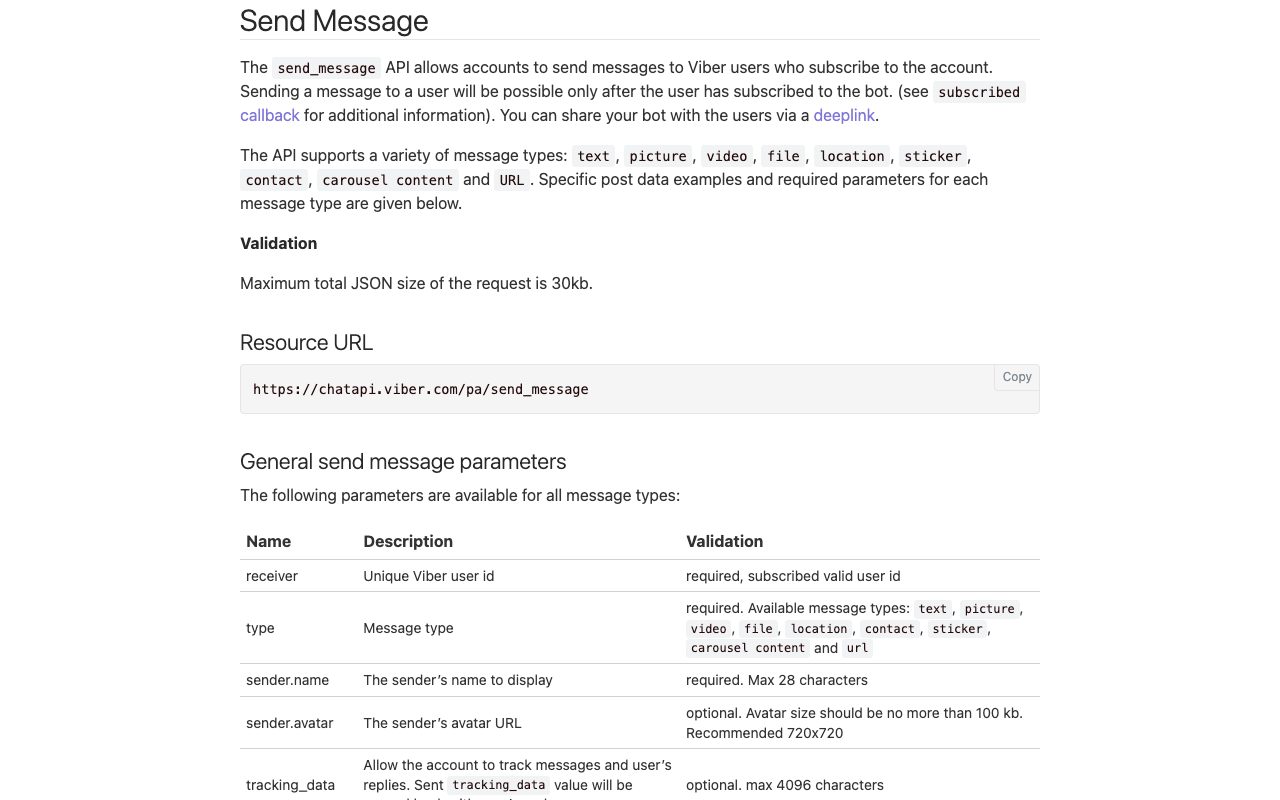
Rakuten Viber documentation: sending a message from a bot
The «Send Message» section of the Viber bot documentation: the client's bot can send text, pictures, files, locations and carousels only to people who subscribed to it themselves. Source: developers.viber.com ↗
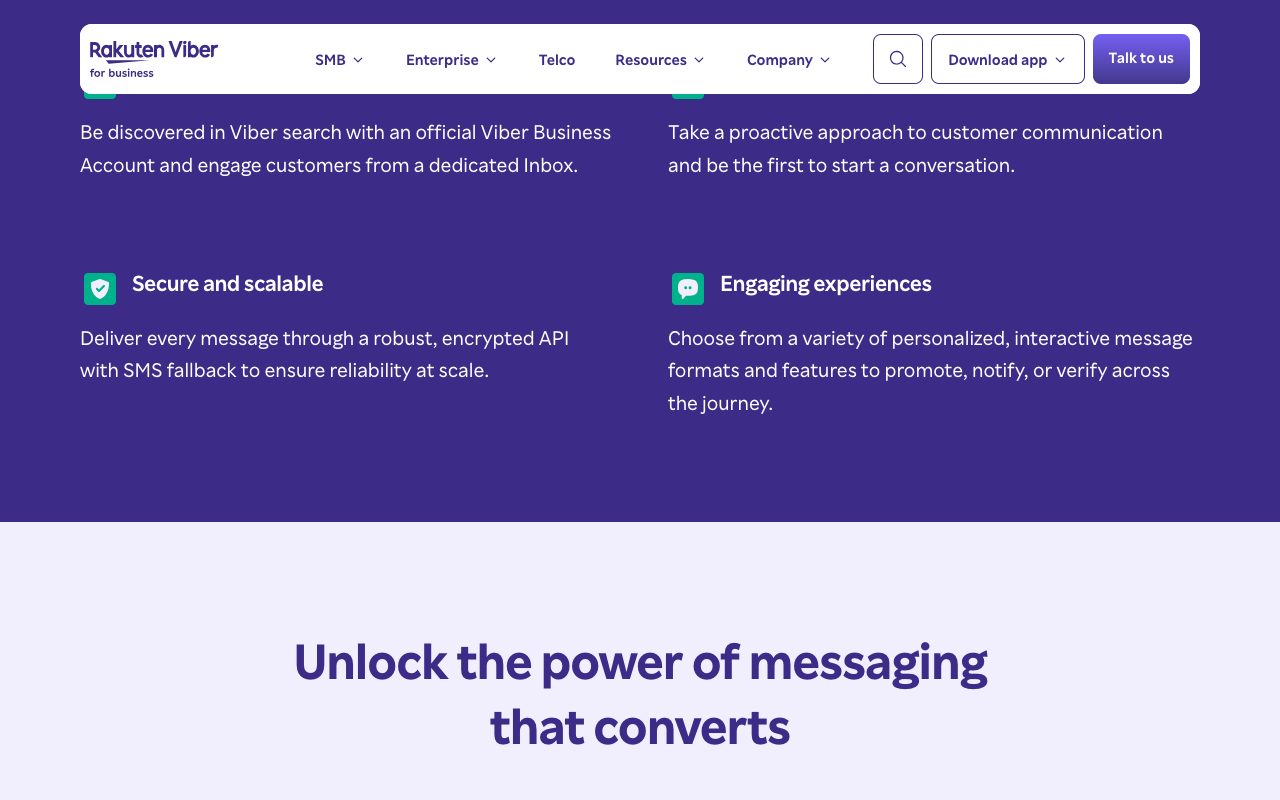
Rakuten Viber for business: what Viber Business Messages offers
Viber Business Messages page: an official business account, its own inbox, encrypted delivery with SMS fallback and interactive message formats for the client's customers. Source: www.forbusiness.viber.com ↗

How to start

Three steps from a first message to work on your project.

  1. 01

    Leave a request

    Describe the task in the form — in text or by voice. Budget and timing are optional.

  2. 02

    We review and estimate

    A developer studies the brief, asks about anything unclear and sends an estimate.

  3. 03

    We start

    Once scope and price are agreed, the work begins.

or write to info@coreviaflow.space

Questions

Can the CRM write to a client who never wrote to our bot?
Not through the bot: Viber lets a bot message only its subscribers. For clients by phone number Viber has business messages, sent through official messaging providers; if you have an account with one, we connect the CRM to it.
We already have a Viber bot. Do we need a new one?
No. The existing bot is connected as it is: we get its access key from your administrator, point Viber to the connection's address and keep the subscribers who write from that moment on. The bot stays yours.
Will the manager see whether the client read the message?
Yes. Viber returns the status of each message — delivered to the device and seen when the chat is opened — and the connection writes it into the CRM next to the message.
Who is the vendor behind Viber, and where is our data?
Viber is operated by Rakuten Viber, the company Viber Media S.à r.l. registered in Luxembourg. Your bot and business account are your agreement with them; the messages that the connection stores are kept in your CRM.

Tell us what needs to be connected

Describe the task in text or a voice message. We look at your setup and reply with a plan.