CoreviaFlowCOREVIAFLOWDIGITAL PROJECT COMPANY Leave a request
EN UA RU
E-commerce platformsUS

Shopify integration & automation

Orders from your Shopify store flow into your CRM, delivery and mailing on their own

Shopify is a platform for online stores: products, customers, orders and payments live in one admin panel. We connect that admin to the other tools your business runs on so a new order creates a deal in the CRM, a paid order goes to the warehouse and the courier, a shipped order sends a message to the customer, and the product catalogue stays in sync. Your team keeps working in the familiar Shopify screens; the manual copy-paste disappears.

What we connect

  • You create a custom app for your store through the Shopify developer dashboard and grant it only the access it needs: orders, customers, products, fulfillments.
  • We subscribe to the store events you care about: order created, order paid, order fulfilled, customer created, product updated.
  • Every incoming notification is checked for a genuine Shopify signature and queued, so a burst of orders on a sale day is processed without losses.
  • We map Shopify fields to your CRM: order number, customer, line items, delivery address, payment and shipping status.
  • Repeat notifications are filtered out, so the same order is never created twice in the CRM.
  • We test on a development store first, then switch the live store on and watch the first days together with you.

Automation scenarios

01

A new order goes into the CRM by itself

Before the manager opens Shopify several times a day, copies the order and the customer into the CRM by hand, and some orders get lost.

After the moment an order is placed, a deal with the customer, the items and the address appears in the CRM, and the manager only calls to confirm.

02

Paid order goes straight to delivery

Before someone checks which orders are paid, then creates a shipment in the carrier's cabinet and types the address again.

After the order-paid event creates the shipment in the delivery service, and the tracking number is written back to the Shopify order and the CRM.

03

Customers get the right message at the right step

Before the mailing list is exported from Shopify once a month, so new customers get no follow-up and shipped orders get no notice.

After a new customer is added to the mailing service at once, a shipped order sends a message with the tracking number, and a customer who hasn't ordered in a while gets a reminder.

04

Products and stock stay in sync

Before the catalogue is kept in the accounting system, and the Shopify listing is updated by hand, so the store sometimes sells what is already out of stock.

After product changes and stock levels are pushed to Shopify on a schedule, and every order reduces the stock in your own system.


How it works technically

For those who want to check: each point links to the official documentation page it comes from.

  • The orders query returns the store's orders with status, customer and line items, and Shopify itself suggests using it to automate fulfillment workflows.

    Source: shopify.dev ↗ checked 2026-09-27
  • An app can subscribe to store events (webhook topics) and receive data about them in near real time, instead of polling the store.

    Source: shopify.dev ↗ checked 2026-09-27
  • Each webhook delivery carries an HMAC signature in the X-Shopify-Hmac-Sha256 header that must be verified before processing.

    Source: shopify.dev ↗ checked 2026-09-27
  • If the receiver doesn't respond, Shopify retries the delivery 8 times over the next 4 hours; after 8 consecutive failures an API-created subscription is deleted.

    Source: shopify.dev ↗ checked 2026-09-27
  • The REST Admin API is legacy as of October 1, 2024; from April 1, 2025 all new public apps must use the GraphQL Admin API only.

    Source: shopify.dev ↗ checked 2026-09-27
  • Most Shopify rate limits use a leaky bucket; each app has a bucket whose size depends on the API and on the store's plan.

    Source: shopify.dev ↗ checked 2026-09-27
  • An order can be created through the API outside the regular checkout — Shopify itself suggests this for orders imported from an external system or for wholesale customers.

    Source: shopify.dev ↗ checked 2026-09-29
  • An order can be marked as paid through the API: Shopify records a payment for the outstanding amount — this is meant for payments taken outside its checkout.

    Source: shopify.dev ↗ checked 2026-09-29
  • When an order is updated, its note and tags are replaced entirely, so a new tag or line must be sent together with the existing ones.

    Source: shopify.dev ↗ checked 2026-09-29

Limits

New integrations are built on the GraphQL Admin API: the older REST version is legacy and some newer features are available only in GraphQL. Request limits depend on the store's plan, so a large catalogue sync on a basic plan is done in batches and takes longer; the throttle on bulk variant creation is lifted only on Shopify Plus. The store's own admin no longer lets you create custom apps: they are created through the Shopify developer dashboard or the command-line tool, and a custom-distribution app can be installed on one store, on the stores of one Plus organisation, or on development stores. Every event subscription needs a matching access permission, and the receiver must answer within five seconds, so processing goes through a queue. Notifications can occasionally arrive twice and are not guaranteed to arrive in order; the integration handles this. Access to the store is granted by the store owner.

Screenshots

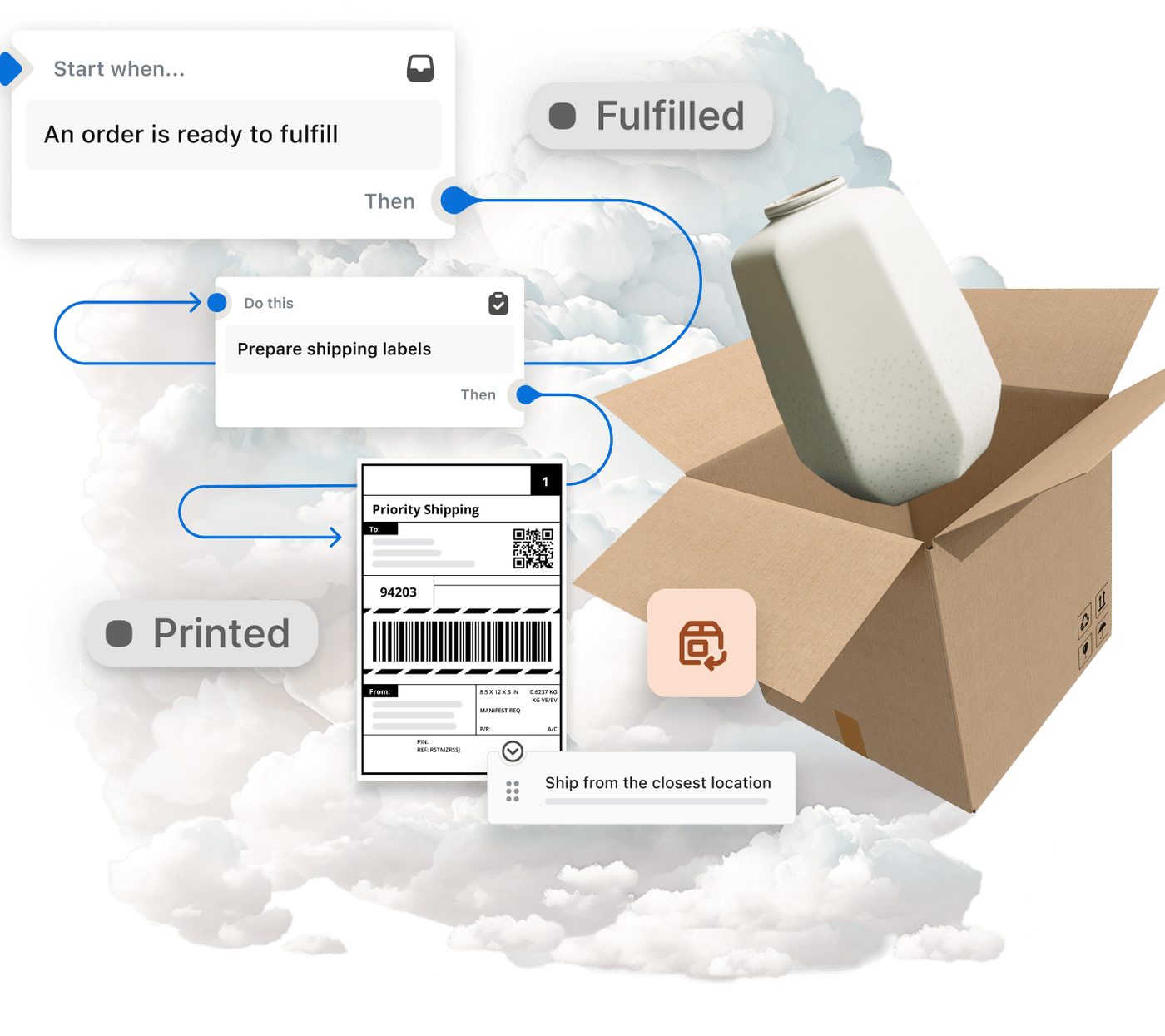
Shopify fulfillment scheme: an order is ready to fulfill, shipping labels are prepared, the parcel is shipped from the closest location
From order to shipment Source: www.shopify.com ↗
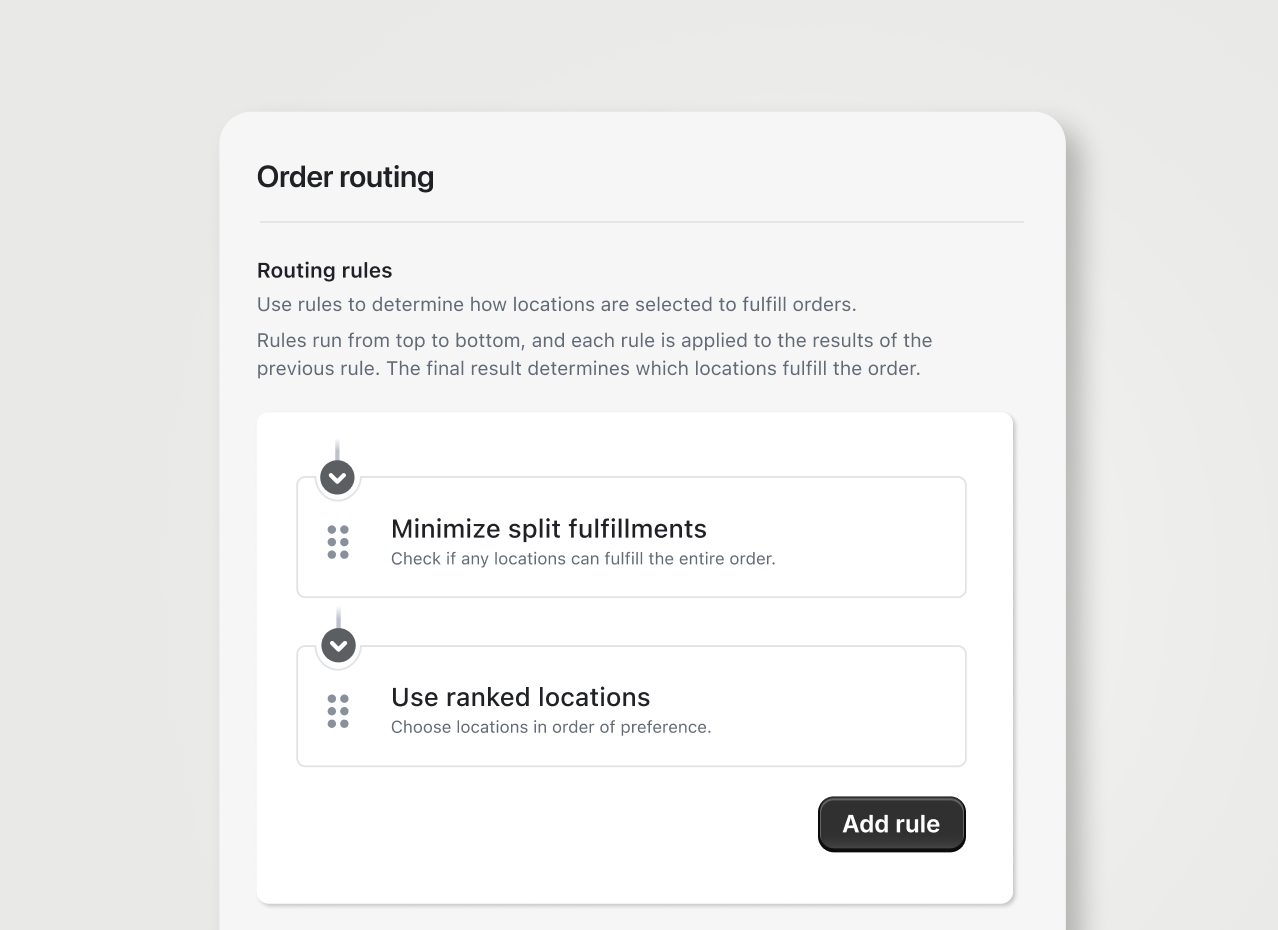
Shopify order routing settings: rules that choose which location fulfills an order
Which location ships the order Source: www.shopify.com ↗

How to start

Three steps from a first message to work on your project.

  1. 01

    Leave a request

    Describe the task in the form — in text or by voice. Budget and timing are optional.

  2. 02

    We review and estimate

    A developer studies the brief, asks about anything unclear and sends an estimate.

  3. 03

    We start

    Once scope and price are agreed, the work begins.

or write to info@coreviaflow.space

Questions

Do we need to change anything in the store itself?
No. The storefront, theme and checkout stay as they are. The store owner creates a custom app in the Shopify developer dashboard and grants it the access rights we agree on; everything else happens on our side.
How fast does an order reach the CRM?
Shopify sends event notifications in near real time, so a new order normally appears in the CRM within moments. If our receiver is temporarily unavailable, Shopify keeps retrying the delivery for several hours, and nothing is lost.
Does the store's plan matter?
For orders, customers and events the integration works on any plan. The plan affects how many requests per unit of time the store allows, so a very large catalogue is synced in batches on basic plans. Bulk variant creation without throttling is a Shopify Plus feature.
We have several stores. Can they all go into one CRM?
Yes. Each store gets its own app and its own event subscriptions, and orders land in one CRM with a store label. If the stores belong to one Shopify Plus organisation, a single custom-distribution app can be installed on all of them.

Tell us what needs to be connected

Describe the task in text or a voice message. We look at your setup and reply with a plan.

Pairs with Shopify

1С/BAS ↔ Shopify

Catalogue, prices and stock from 1С/BAS go to the Shopify store, orders from the store come back as customer orders in 1С/BAS, and fulfilment statuses return to the buyer

See scenarios →

LiqPay ↔ Shopify

A Shopify order gets a LiqPay payment link or an invoice to email, and a confirmed LiqPay payment finds its order and moves it on, without anyone checking two screens

See scenarios →

Mailchimp ↔ Shopify

Shopify buyers land in the Mailchimp audience with what they bought, and a weekly report sets each campaign against the orders that followed it

See scenarios →

Odoo ↔ Shopify

Shopify orders arrive in Odoo as sales orders with the customer and lines, and products, prices, stock and shipments from Odoo go back to the store

See scenarios →

PayPal ↔ Shopify

PayPal payments for orders agreed outside the checkout find their Shopify order, mark it paid and move it to fulfilment, and refunds go back the same way

See scenarios →

QuickBooks Online ↔ Shopify

Shopify orders become sales in QuickBooks Online with the right items, taxes and payouts, and stock levels stay in step

See scenarios →

Shopify ↔ Stripe

Shopify orders agreed outside the checkout get a Stripe payment link, a confirmed Stripe payment moves the order on, and Stripe subscriptions turn into Shopify orders for each delivery

See scenarios →

Shopify ↔ Xero

Shopify orders become sales invoices in Xero with the same lines and tax, payouts match the bank feed, and refunds become credit notes

See scenarios →

Related integrations

Implementation · Development · Integrations →

Shopify is a trademark of its owner. CoreviaFlow is not affiliated with it unless stated otherwise. Screenshots are taken from public vendor materials; the source is shown under each one.